
A role every trip plan requires — ZhuiZhui makes it simple
An "emergency contact" (or "trail sitter") is an essential role in a traditional hiking safety plan — someone who stays behind, tracks the team's status, and if there's no word past the scheduled check-in time, can immediately notify rescue services with the last known location. In the past, that person could only passively wait for a phone call or text. ZhuiZhui upgrades that role into an "open the link and see" real-time tool: they don't need to stare at their phone constantly — when they need to check, opening the shared link instantly shows your current location, route and last update time. It's the ideal tech companion for a hiking safety contact.
No install, no sign-in — this is what opening the link looks like
Below is the web page your family, friends or group members actually see when they open the shared link (not a screen inside the app).
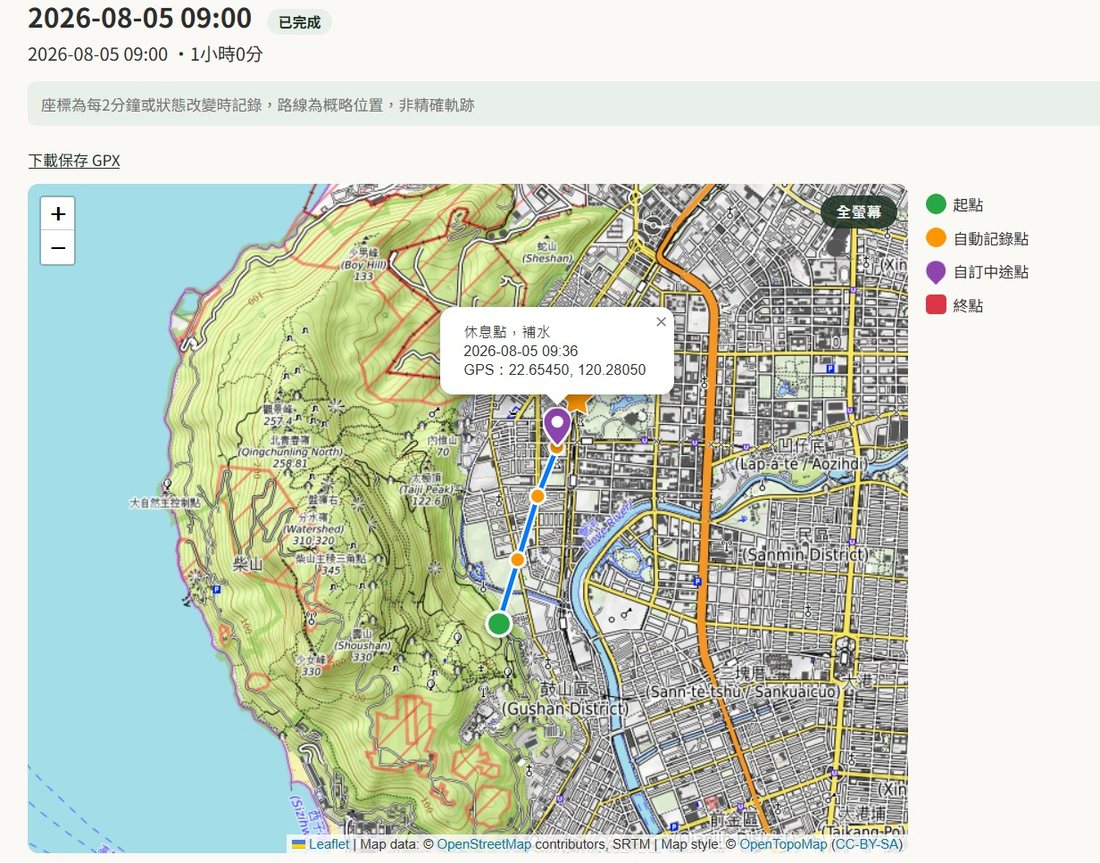
Personal route sharing page
A clear map legend, waypoint note popups, and a direct GPX download to save the route.
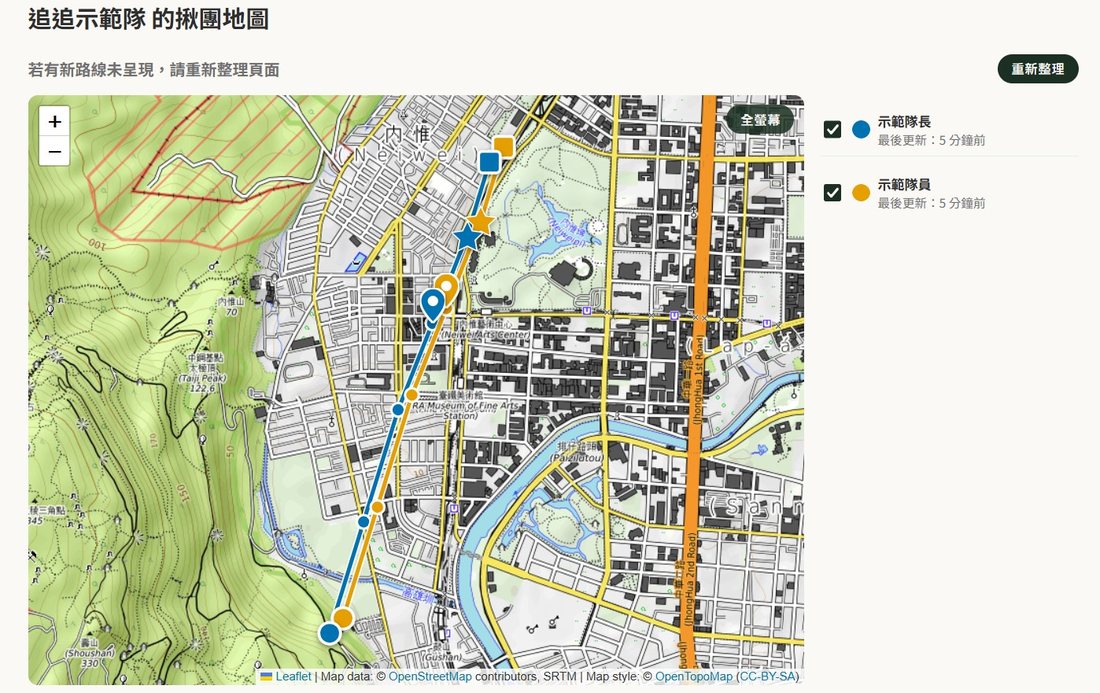
Group map overview
The member list on the right shows each person's last update time in real time — see who's still actively sharing at a glance.
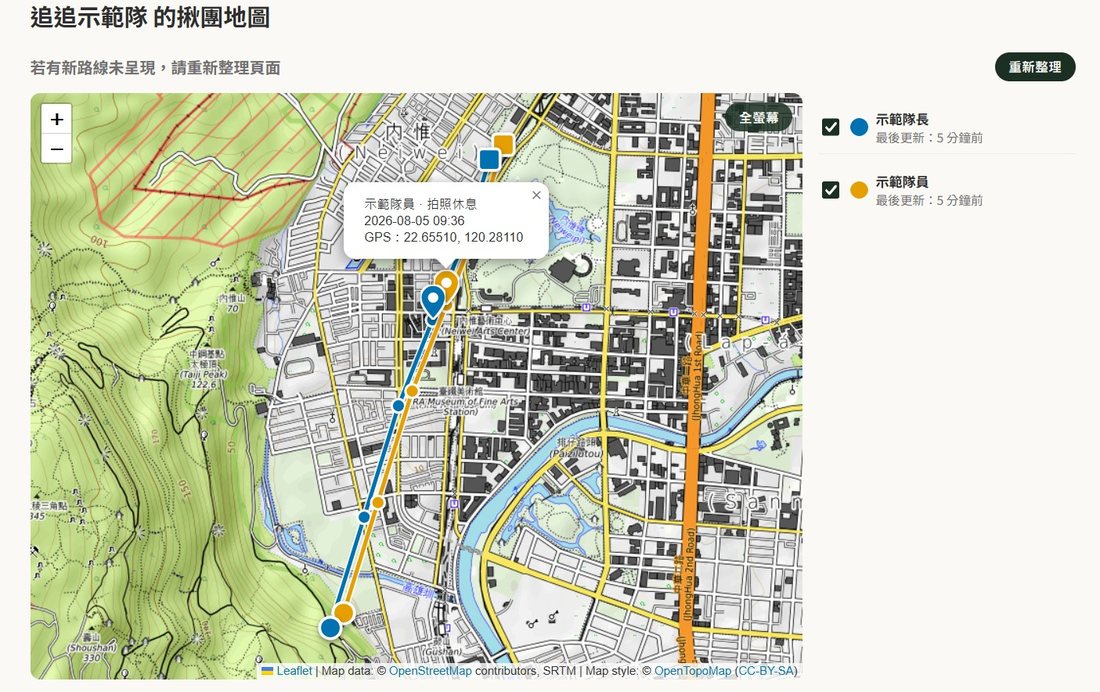
Waypoint notes at a glance
Tap a marker on the map to see the note text and coordinates that member left.
Set it up once, so your emergency contact always knows where you are
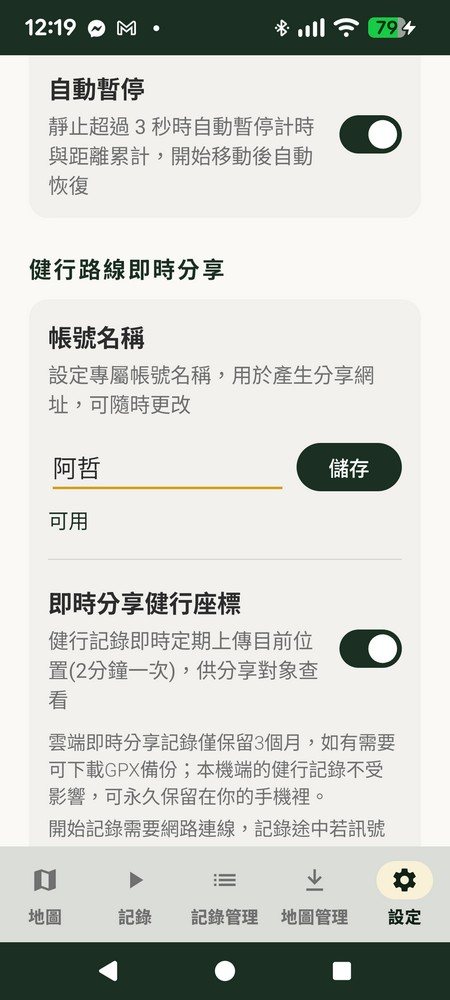
Set up a personal account name on the settings page, and once you turn on "Live share hiking location," your position uploads periodically while you hike, and the system generates your personal sharing link automatically. What they see when they open the link is exactly the screen above — map, legend, route stats and GPX download, all included.
This is exactly the tool a hiking trail sitter needs — they don't have to stare at their phone constantly; when they need to check, opening the link instantly shows your location and route. If you really do go missing, this also gives your contact the most direct, most recent last-known-location reference to hand to rescue services.
- No install, no sign-up, no sign-in for the person you share with — just open the link
- Update frequency adjustable to 1 / 2 / 3 minutes
- No signal mid-hike? No problem — data is stored on your phone first and auto-uploads once signal returns
Group trips — see everyone's location on one map
Enter a group name to create a new group, or join an existing one — every member's live location shows on the same map. On multi-day traverses, each member's route is automatically stitched together by time into one continuous track, making it easy to review the whole trip afterward.
- No extra sign-up needed to create a group — just a group name to join
- Multi-day traverses auto-merge into one continuous track per member
- Leaving a group still keeps your previously recorded routes in your cloud history
No update for over 6 hours? An automatic alert appears
If your phone dies, crashes, or loses signal for a long stretch deep in the mountains while an activity is still "in progress," the web version immediately shows a red alert badge — so your emergency contact and group members can spot the situation right away.
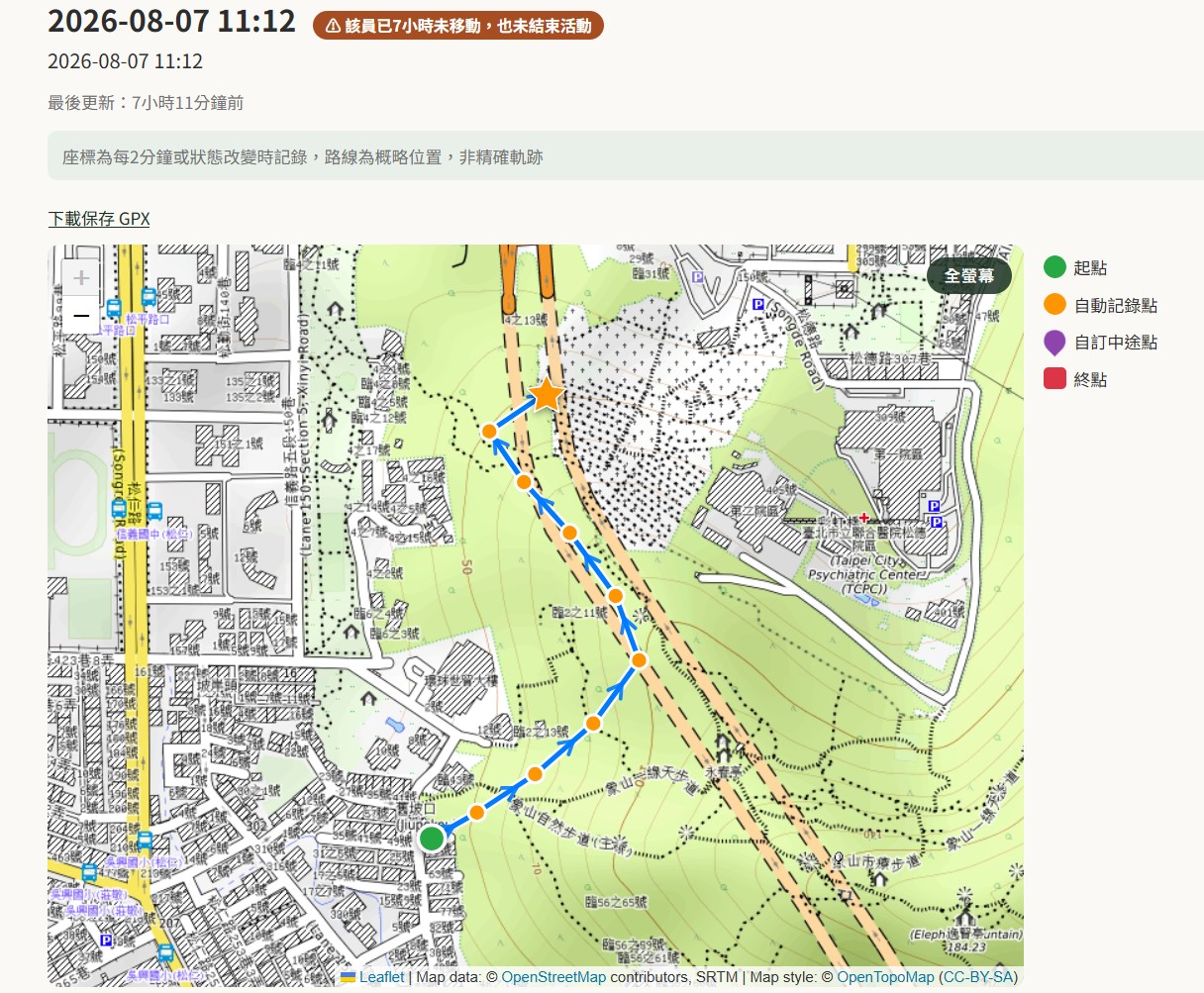
Personal route page alert
The header clearly reads "⚠️ Hasn't moved for X hours and hasn't ended the activity," so your contact doesn't mistakenly assume you're still making progress.
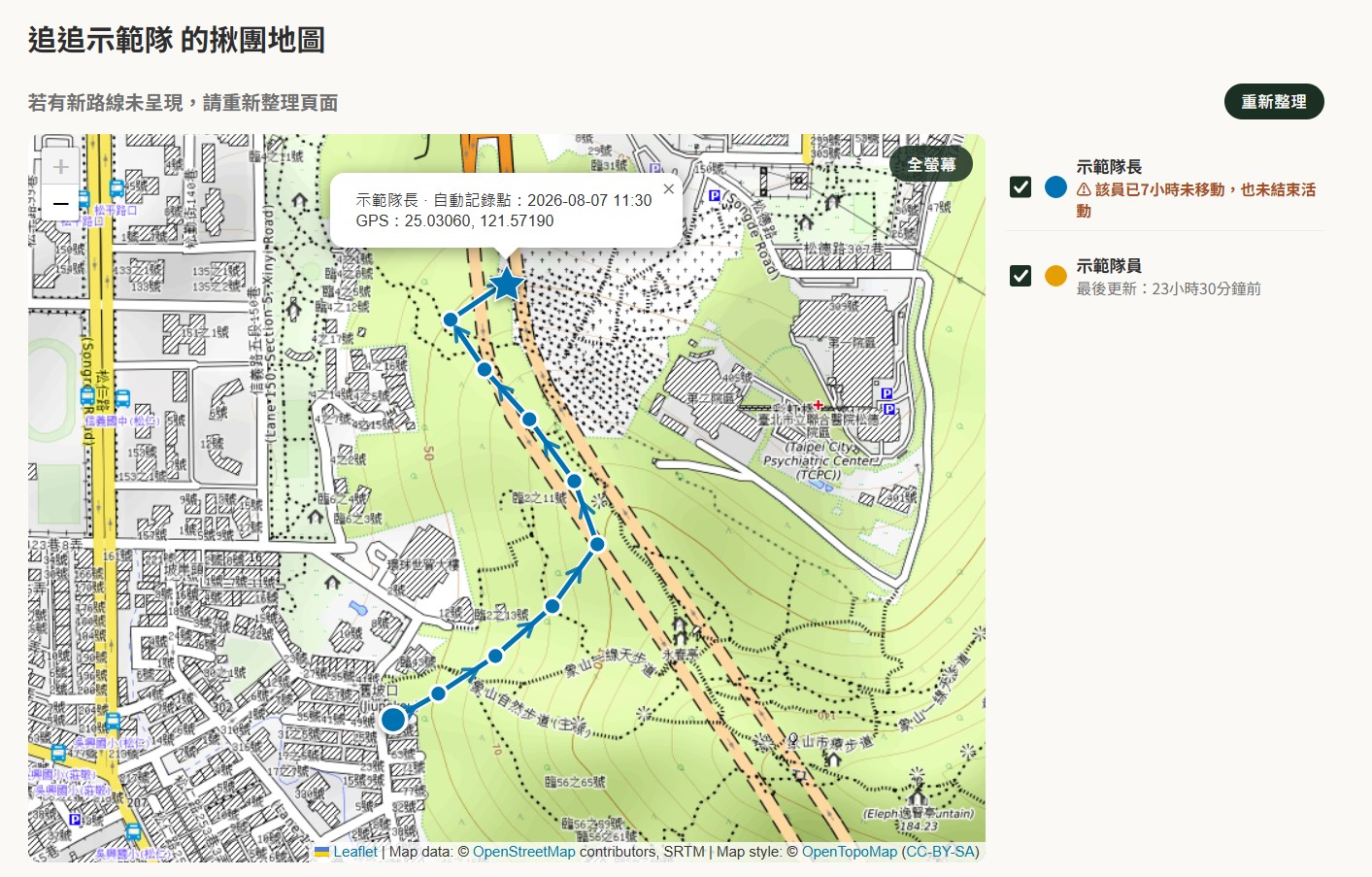
Group map member list
The member list on the group map shows the same red alert badge — spot who's been stalled too long at a glance.
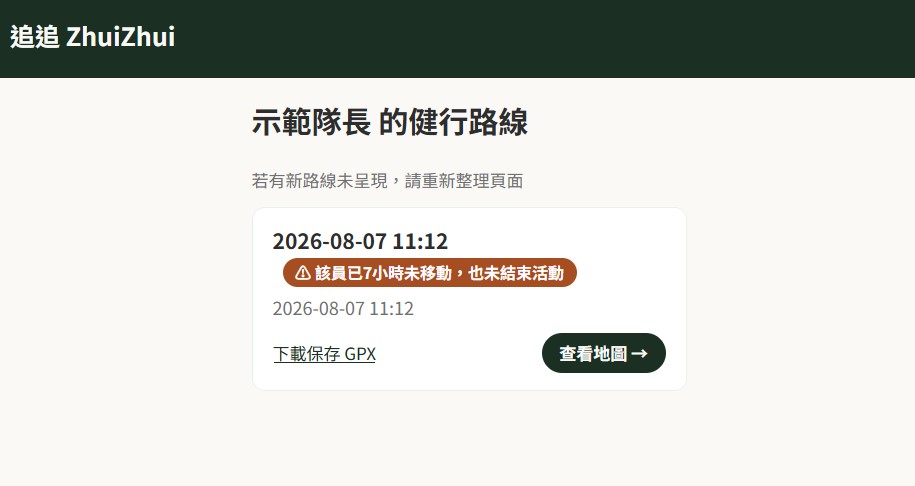
Hike route list card
When reviewing a member's route overview, an in-progress card shows the same alert — information stays fully consistent across every screen.
A safety feature that's also honest about data retention
90-Day Cloud Retention
Live-shared coordinate records in the cloud are kept for 90 days only. Your on-device hike records are entirely unaffected and stay permanently on your phone.
Self-Deletable Account
Done sharing? Delete your account anytime on the settings page. Your personal sharing link is disabled immediately, and the same phone can reclaim the same account name within 90 days.
The Link Is Access — Share Carefully
Anyone with the link can view the route, so only give it to family and friends you trust. Turning off live sharing immediately invalidates any links already shared.
Let the people who love you know where you are
Hike-mode exclusive feature, free to download and use.