
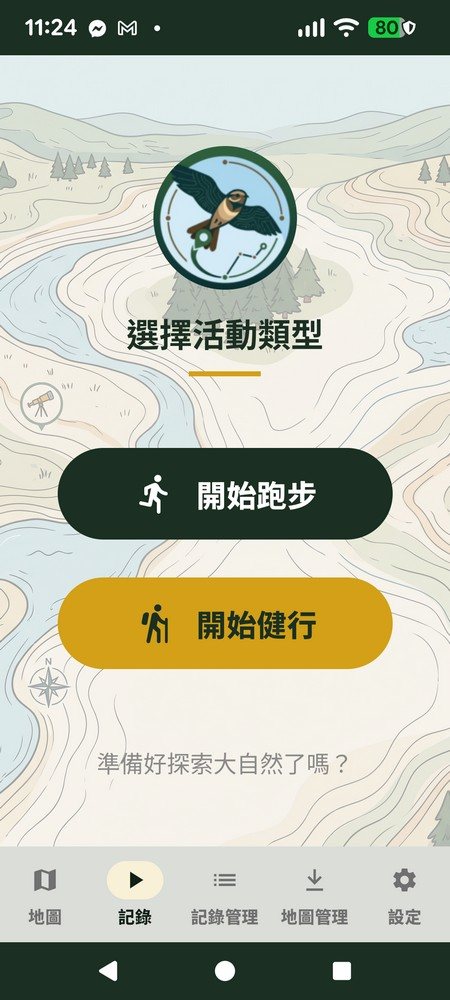
Run, or hike?
Open the "Record" tab and choose whether this session is a run or a hike — ZhuiZhui applies the matching recording logic and screen for whichever mode you pick. The two activity types don't interfere with each other and are managed separately.
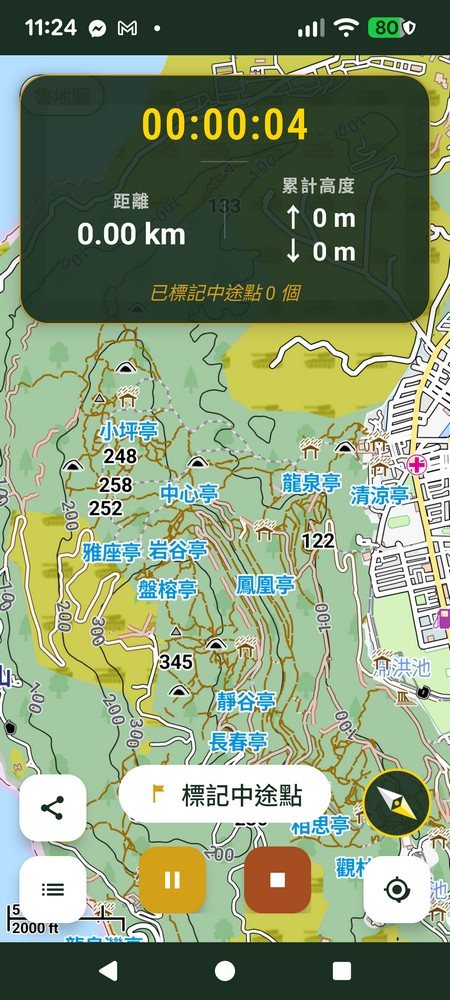
Real-time status on every step of the way
Once you start a hike or run, the screen shows elapsed time, distance and accumulated elevation gain/loss in real time. Mark a waypoint with one tap and add a text note — handy later for recalling a fork in the trail, a rest stop, or a view worth remembering.
- Auto-pauses after 3 seconds of no movement, keeping distance and pace accurate
- Waypoints can carry notes, for both run and hike modes
- Still overlay and compare a saved reference route mid-recording to check you haven't strayed off trail
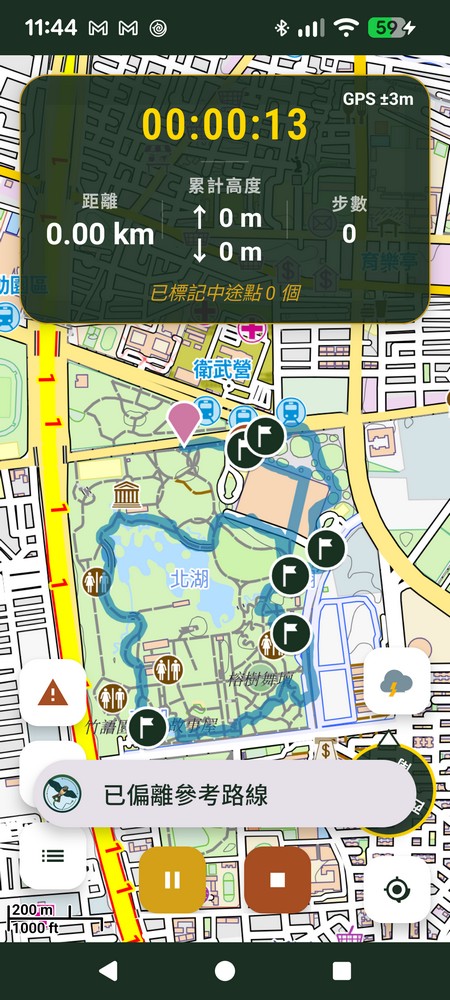
Off-route alert — know the moment you go wrong
Load a reference route on the activity management page before you start recording. If you stray beyond the configured distance threshold while hiking, ZhuiZhui plays an alert sound, vibrates, and shows an "off reference route" notice on screen — so you catch a wrong turn immediately instead of only noticing after walking much further off course.
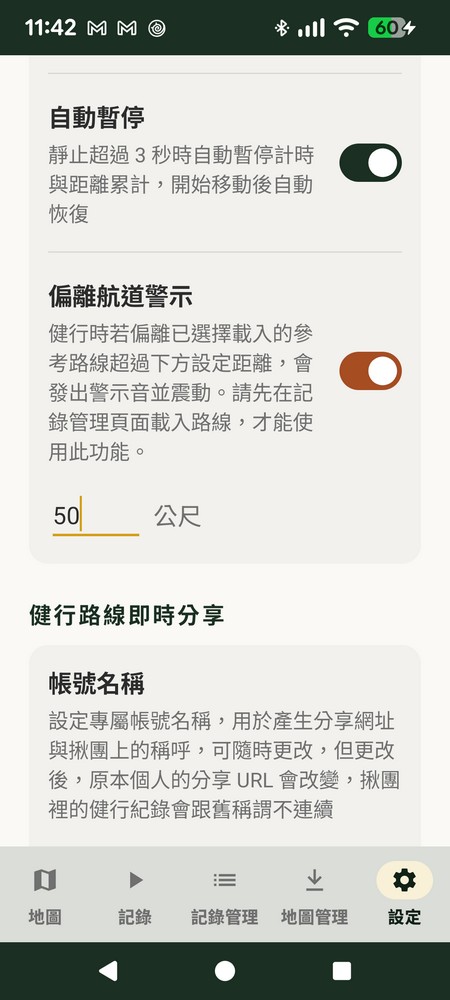
- Distance threshold is configurable (50m by default)
- Requires a reference route loaded on the activity management page first
- Sound + vibration alert together, so you won't miss it while moving
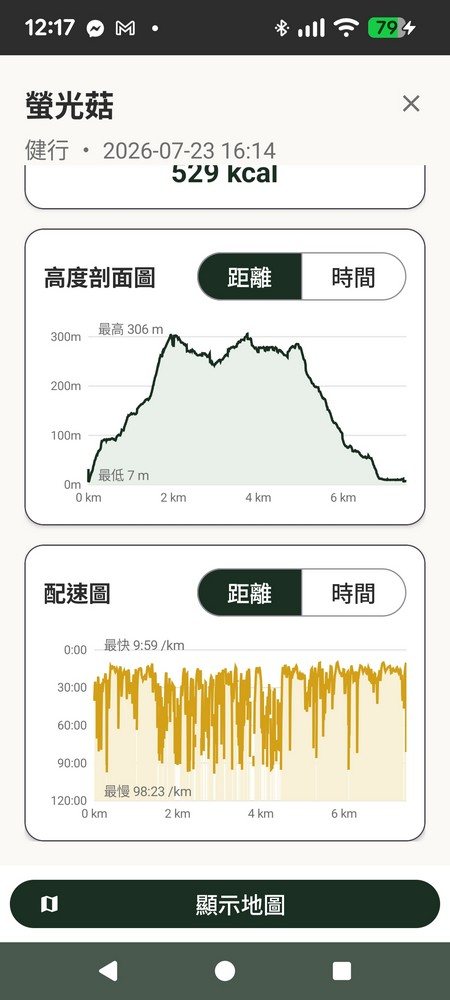
Auto-generated analysis charts, understand intensity at a glance
After you stop recording, ZhuiZhui automatically calculates distance, total elapsed time, moving time, average speed and accumulated elevation gain/loss, then draws an elevation profile and pace chart and works out estimated calories burned — no need to export to another tool for analysis.
- Elevation profile: view by distance or by time
- Pace chart: spot the fastest and slowest sections of the route
- Set your body weight for a more accurate calorie estimate
Personal records and activity heatmap — watch your progress
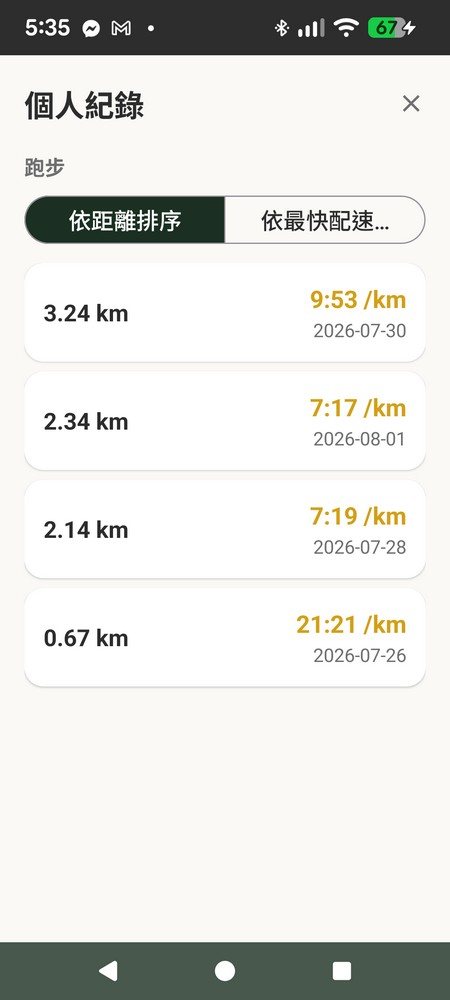
Personal Records
Bucketed by 1km / 5km / 10km / half marathon / full marathon, automatically listing your best pace records.
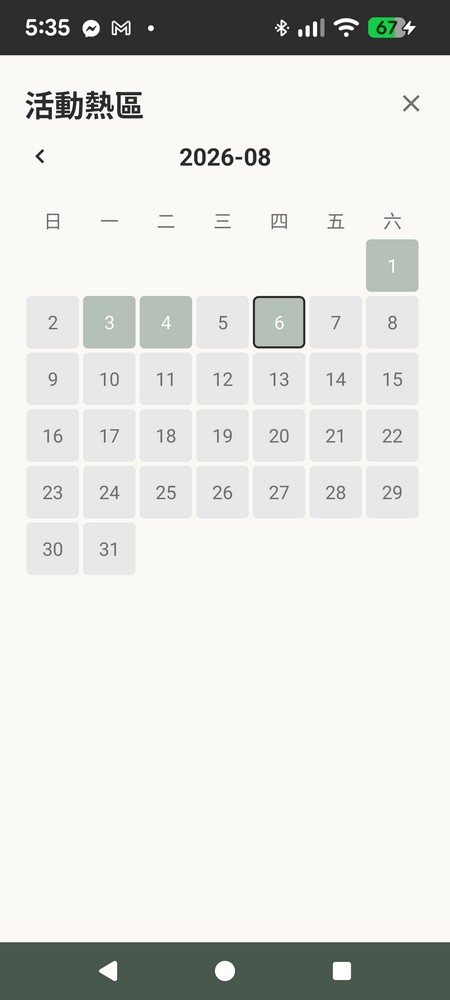
Activity Heatmap Calendar
A GitHub-style calendar view — see this month's workout frequency and gaps at a glance.
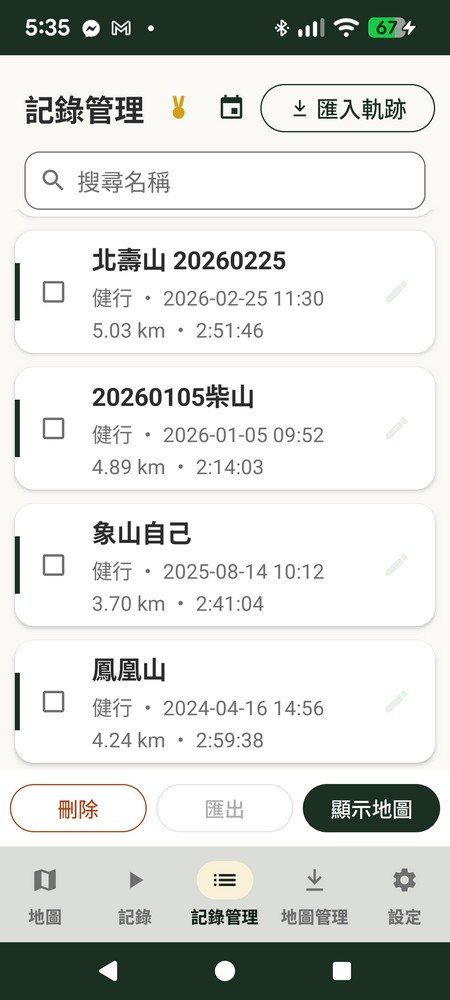
Activity Management & Search
All records managed in one place — search by name, select multiple to show on the map, or delete.
GPX / KML / KMZ import, GPX export — your data stays yours
ZhuiZhui doesn't lock your records into a single app. Import an existing GPX, KML or KMZ track directly to overlay and compare, and export a route you recorded in ZhuiZhui as a standard GPX file to bring into tools like gpx.studio for further merging and editing.
Start recording your first route
Run and hike dual-mode tracking — free to download and use right away.